Creating and using elements gives you even more flexibility and control as you are
writing and editing. Squibler recommends setting up your elements in your document as
soon as you are ready to begin working on your book or script.
Elements are recurring parts of your book or screenplay that you want to define for the
AI. They can be important characters, settings, objects for fiction and screenplays, or
important concepts, theories, facts, or ideas that you plan to discuss in your non-fiction
book.
Squibler’s AI will pull from how you describe your Elements as the AI creates text,
images, and dialogue for you.
To create your elements, click on the plus sign to the right of the word Elements on the
bottom left side of your document:
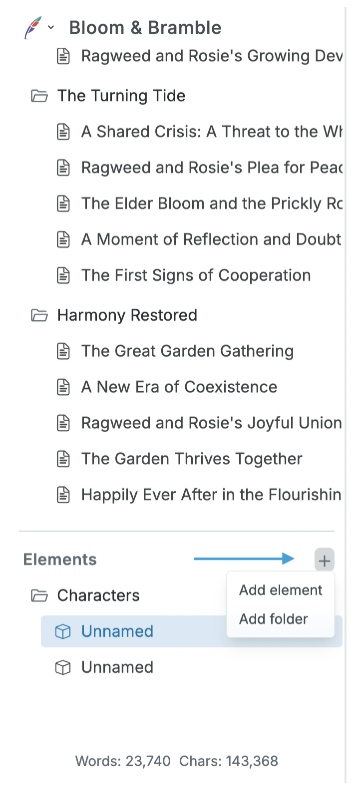
You will see a pull-down menu that allows you to create a folder to organize your
elements into categories, or you can create an element.
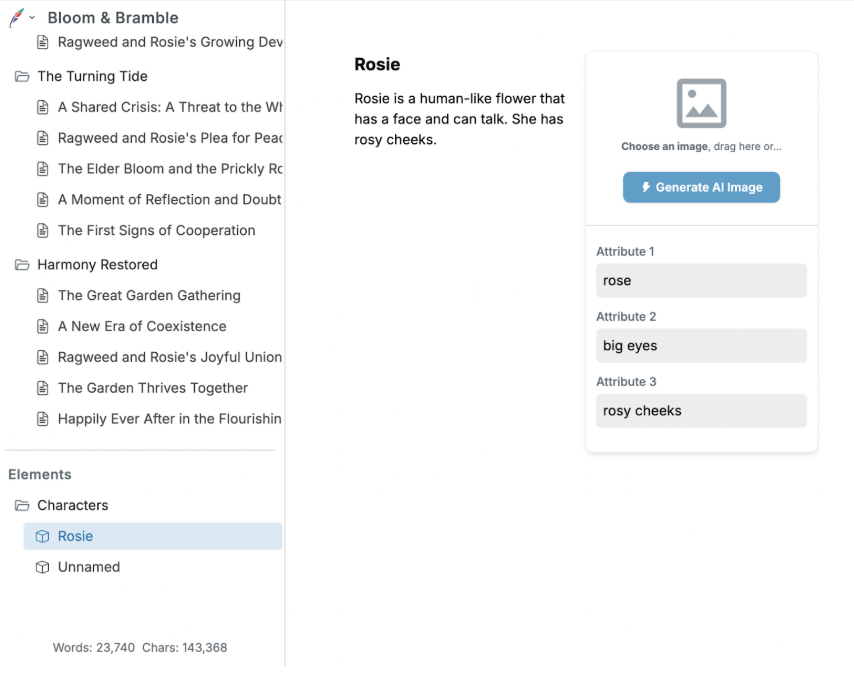
You can name and define your element in the white space. Add anything that is
important to you about a character, setting, object, concept, idea, etc.
After you have completed the text portion, you can generate an AI image to go with your
element if you wish by clicking on the Generate AI image on the right of your text
description. You can also use the attributes boxes to describe individual parts of a given
element.
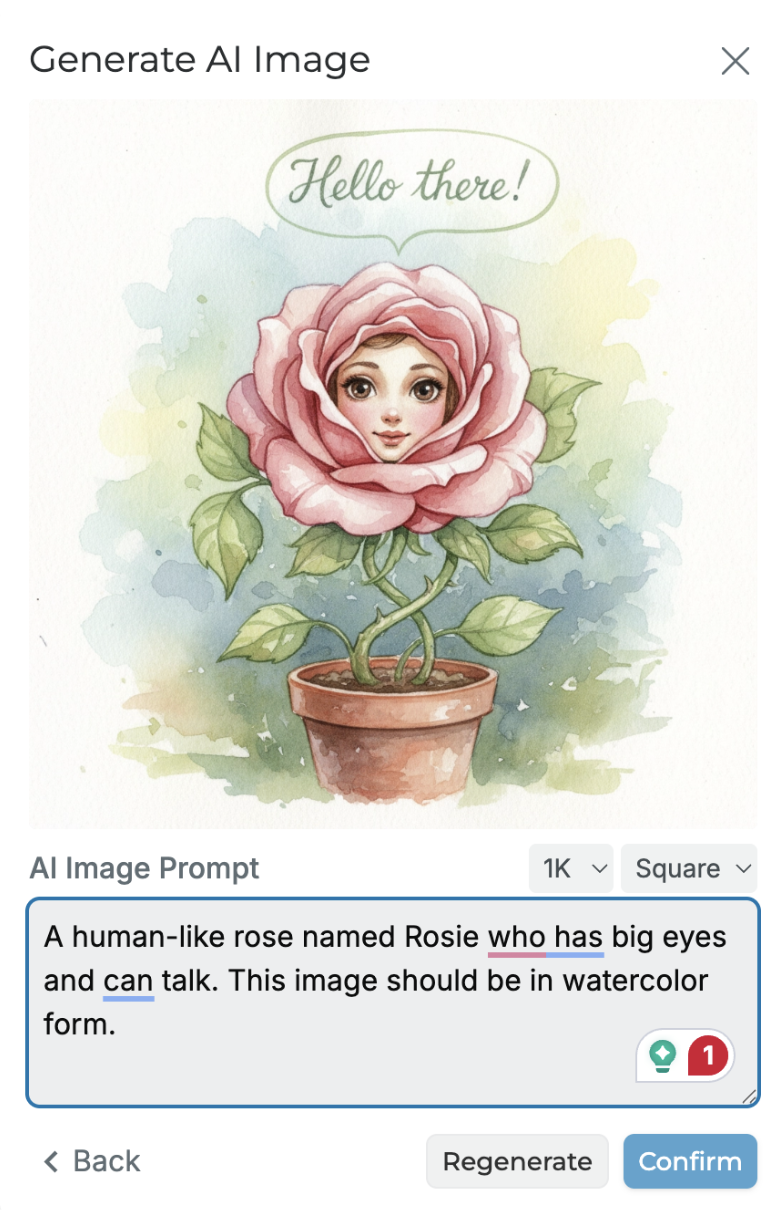
Once you click Generate AI image, you can also type directly into the AI Image Prompt
Box to instruct the AI on what the image should look like and the style of art you want the
AI to produce (anime, comic book, photographic, watercolor, etc.)