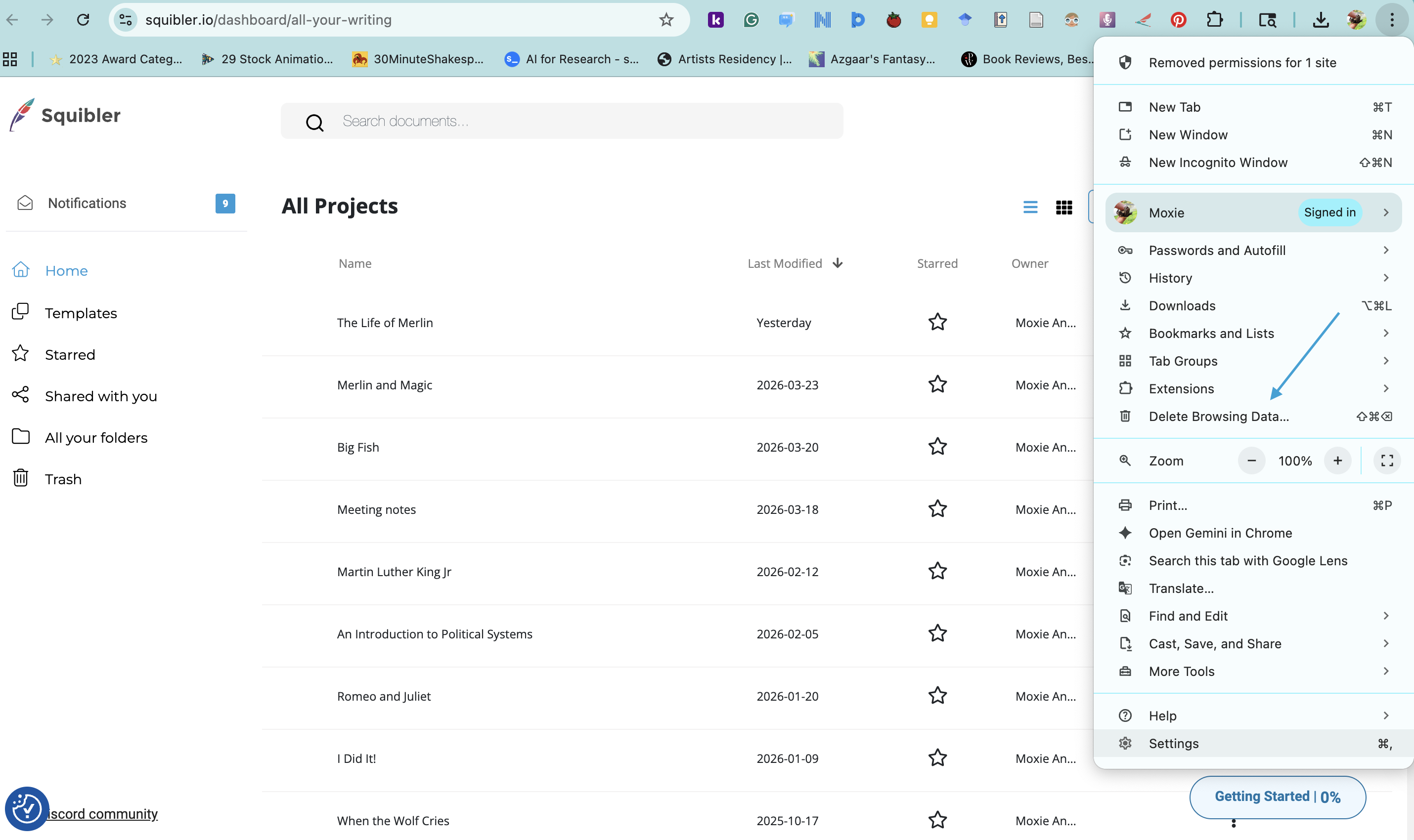
Since Squibler is currently a web-based application, you may need to clear your web-browsing cache for optimal performance. On the top right side of your web browser, click on the three dots or lines to open the pull-down menu:
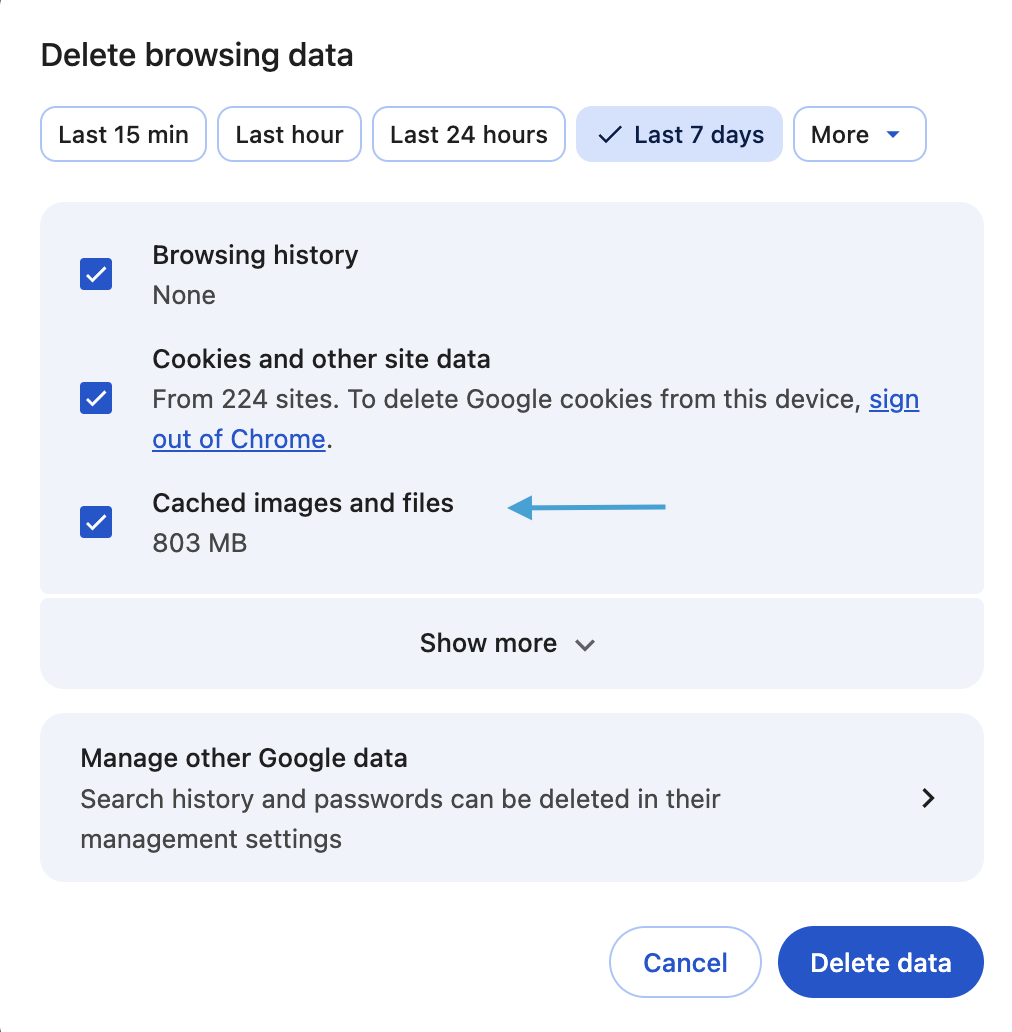
Select History or Delete Browsing Data This will open a new page where you can clear your cache: